Chaos, paperwork, and introduction. Rinse and repeat. Sound familiar? Onboarding feels like a blur of tasks instead of a launchpad of success. New hires are overwhelmed with documents, policies, training materials, and company information within their first few days.
As a result, important details can be forgotten, engagement levels may drop, and the overall onboarding experience can feel impersonal. That is where AI-powered solutions like Vidnoz AI come in, helping Learning and Development (L&D). In this guide, we learn how AI tools like Vidnoz AI help streamline employee onboarding, reduce administrative workloads, and accelerate the path from new hire to productive team member.
Part 1: What is Vidnoz AI?
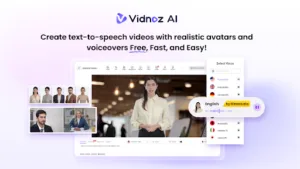
Vidnoz AI is an all-in-one AI Video Generator that enables users to create high-quality videos with simple text prompts. The platform is designed to simply video creation by eliminating the need for advanced editing skills, expensive equipment, or professional production teams. With the help of this tool, Learning and Development teams can create engaging training videos, onboarding materials, and educational content with minimal effort. One of the best parts of this program is its ISO/IEC 27001:2022 certification for Information Security Management, making the company’s data safe and secure. Plus, the program includes a wide range of AI tools, such as Text-to-Video, AI Voice Changer, Online Video Editor, AI Video Enhancer, and more.
Part 2: Why Implement Vidnoz AI in L&D Workflows
Vidnoz AI offers a wide range of features and capabilities, making it one of the best tools for modern L&D workflows. Here are the top feature of this program that makes it one of a kind:
- Pre-Designed Video Templates: Vidnoz AI includes 2800+ customizable video templates, allowing users to create high-quality videos, such as training, onboarding, explainer content, and product demos. A great variety of aspect ratio templates, including landscape and portrait, are also available to match different display requirements.
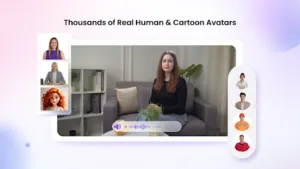
- Realistic AI Avatars: The program provides 1900+ lifelike avatars from different industries and roles, such as bosses, customer supporters, teachers, students, chiefs, and more. Plus, it includes Avatar Lite, enabling users to create digital twins, and Avatar Pro offers deeper customization features.
- Engaging AI Voices: With Vidnoz AI, you’ll get 2000+ AI voices, each with a unique accent and style. ElevenLabs, Google, and Microsoft power all the voices available on this program. Additionally, the voice cloning feature allows users to create a synthetic voice using audio recordings that resemble 99% of the real voice.
- Free Version: One of the best parts of this tool is that all the advanced features are available for free, meaning users can generate high-quality videos without spending a single penny. The free version includes features like text-to-video, voice cloning, and more.
- AI Video Wizard: The Vidnoz AI Video Wizard feature enables users to create engaging and entertaining videos with a simple text prompt or any source material. With this, users can turn ideas, blogs, or product details into complete videos in just a few clicks.
Part 3: Benefits of Vidnoz AI In Onboarding
Implementing Vidnoz AI employee onboarding brings a range of advantages that directly improve how new hires experience and absorb company information. Here are the top benefits of Vidnoz AI:
- Time Saving: With traditional processes, onboarding new hires is an administrative nightmare that can involve a ton of work. Vidnoz AI can do all the hard work within a few clicks.
- Personalization: Vidnoz AI offers amazing customization features, allowing L&D teams to generate onboarding content according to their requirements. This level of personalization helps create a more engaging learning experience.
- Scalability: The organization can easily onboard a large group of employees simultaneously without increasing workload or training cost, making it useful for growing companies.
Part 4: Step-by-Step Guide: How to Create Engaging Onboarding Videos?
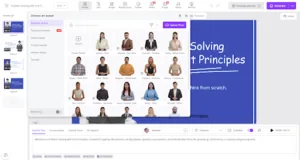
Vidnoz AI Video Generator offers an intuitive interface, allowing users to create engaging onboarding videos with simple text prompts. Here is how to do it:
- Open your web browser and go to Vidnoz AI’s official site. Log in with your free account and choose Avatar and Video Templates.
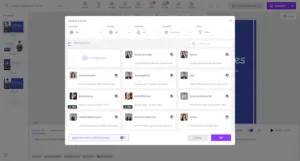
- Enter the AI prompt in the prompt box and select the AI voice. Users can also choose the language of their video. Vidnoz AI includes 140+ languages, such as English, French, and Japanese.
- Next, use the Online Video Editor to customize the video according to your requirements. Users can adjust the background, add music, and insert text.
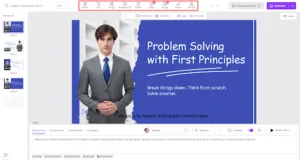
- Finally, click on the “Generate” button to begin the video creation process. Within seconds, your video will be ready and available for download.
Final Thoughts
If you want to streamline employee onboarding, use Vidnoz AI. It is an all-in-one tool that enables users to create high-quality training videos with a simple text prompt — no expensive equipment or editing skills required. It offers an intuitive interface, which is ideal for non-tech and beginner users.